
Projects and threads
The project chat and the coordinator
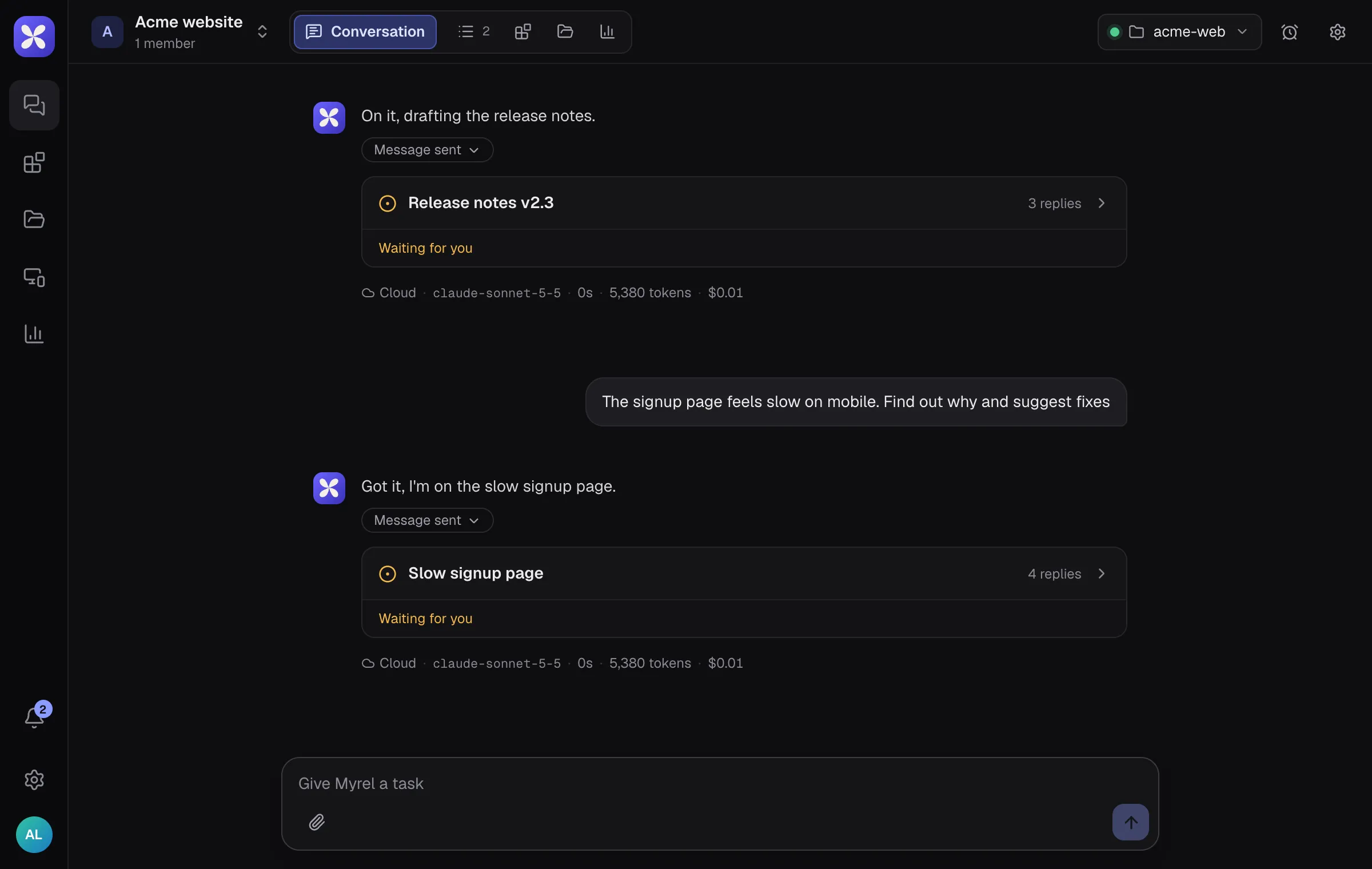
Section titled “The project chat and the coordinator”Everything starts in the project’s Conversation. A coordinator agent reads each message and decides what to do with it:
- a new task gets its own thread, and the coordinator says so under your message
- a follow-up about running work is forwarded to that thread (it shows there as “Follow-up forwarded to the thread”)
- a quick question may just get an answer in the chat
You can also open a thread yourself with New request in the sidebar, and find old ones with Search threads.
Inside a thread
Section titled “Inside a thread”A thread is one task with its own agent. It shows:
- Progress: the agent’s checklist. Steps are Not started, In progress, Done, Skipped or Failed, and a “Plan updated” card appears when it changes.
- Decision cards (“Your call”): when a choice is yours, the agent offers 2 to 4 options and marks one as recommended. Pick one and the agent continues.
- Artifacts: reports, charts or prototypes the agent publishes. They open next to the chat and also appear in the Artifacts tab.
- How this reply was made, under each agent reply: whether it ran in the cloud or on your computer, the model, the time, tokens and an estimated cost.
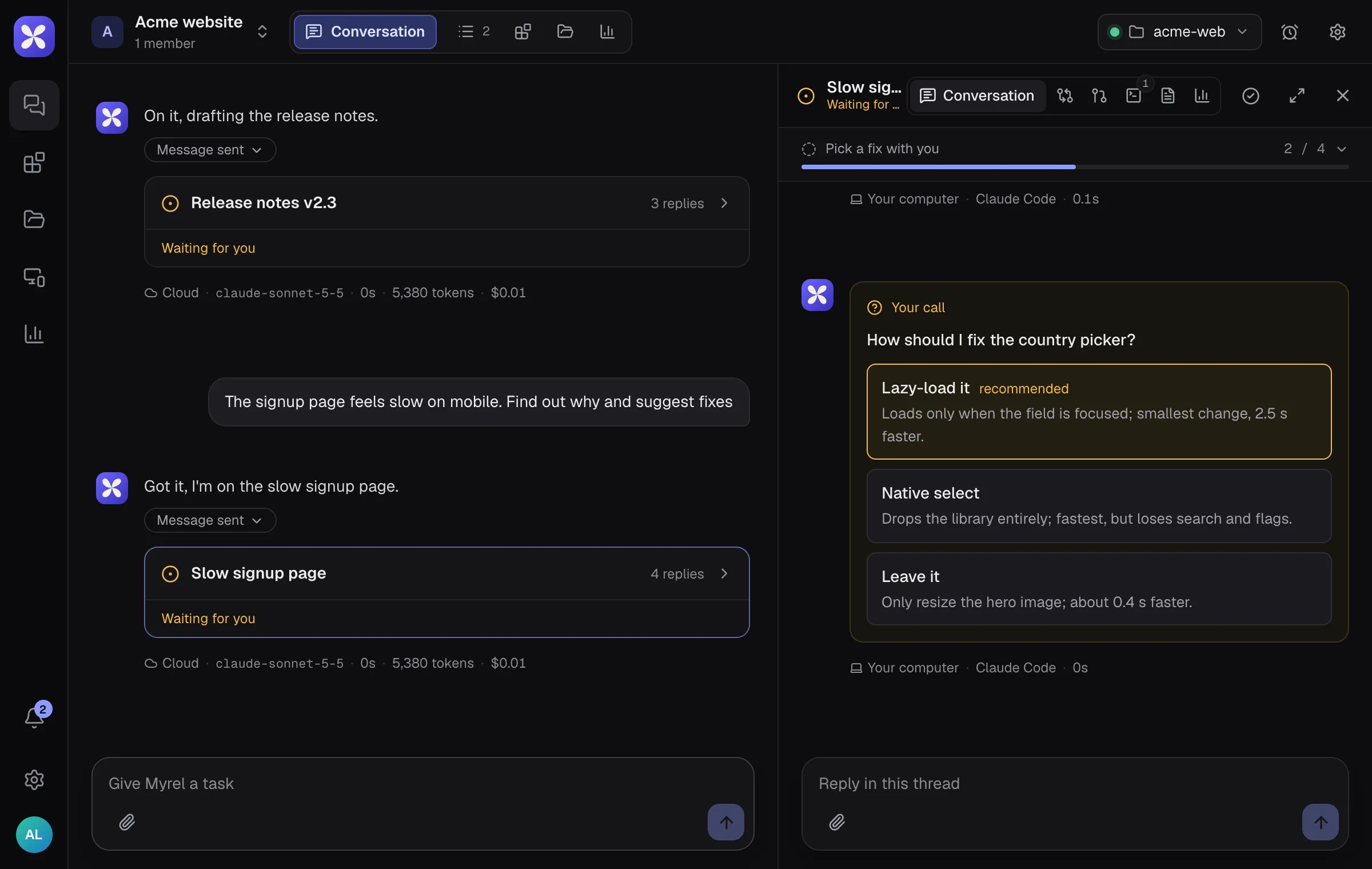
Write in Reply in this thread to steer the work. Show workspace opens the thread’s workspace: Changes, Terminal (with Stop for a running task), Outputs, Pull request and Usage.
Thread status
Section titled “Thread status”| Status | Meaning |
|---|---|
| Working | the agent is on it |
| Waiting for you | it asked you something or presented a draft |
| Checking with the coordinator | it asked for permission or routing |
| Resolved | the work is done |
| Failed | the task stopped with an error |
| Closed | closed as a duplicate, misrouted or cancelled |
Use Resolve when you are happy with the result. Reopen brings a resolved thread back; writing in a closed thread reopens it too. Nothing is deleted when a thread is closed.
Project knowledge
Section titled “Project knowledge”Under Files:
- Files: uploads and files agents create. Attachments you add to messages land in
uploads/. - Memory: notes that every agent in the project reads. The
MEMORYfile is the index read in full on every turn; agents keep it up to date, and you can edit it. - Instructions: rules every agent follows in this project.
Routines
Section titled “Routines”The Routines button in the project header schedules work: a prompt that runs every weekday, daily, weekly, hourly, once or on a custom cron. Each run either posts in the project chat (Myrel opens a thread each time) or continues an existing thread. You can also just ask in the chat, for example “every weekday at 9, summarize open threads”.
Notifications
Section titled “Notifications”The bell shows when a thread finishes, replies, needs a decision, is blocked or failed. Its menu has the email and browser notification switches. The mobile app sends push notifications and the desktop app uses native ones.